FarmMate for co-ops
Record every member delivery at the collection centre, even offline. Members get an SMS receipt, a monthly statement with deductions, and their pay through an M-Pesa bulk payout file.
For co-ops and outgrower groups that collect milk, tea, coffee, cane, cotton, cashew, flowers, vegetables or other produce, by kg or litre.
Clerk intake, offline
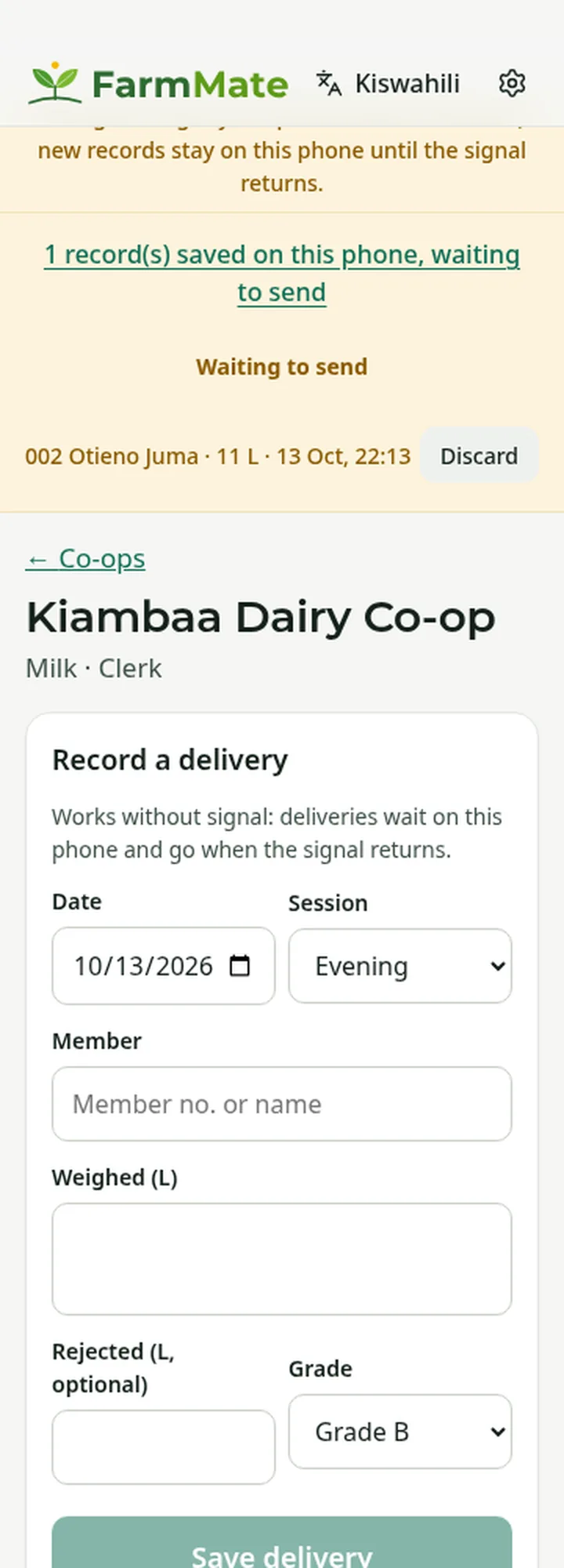
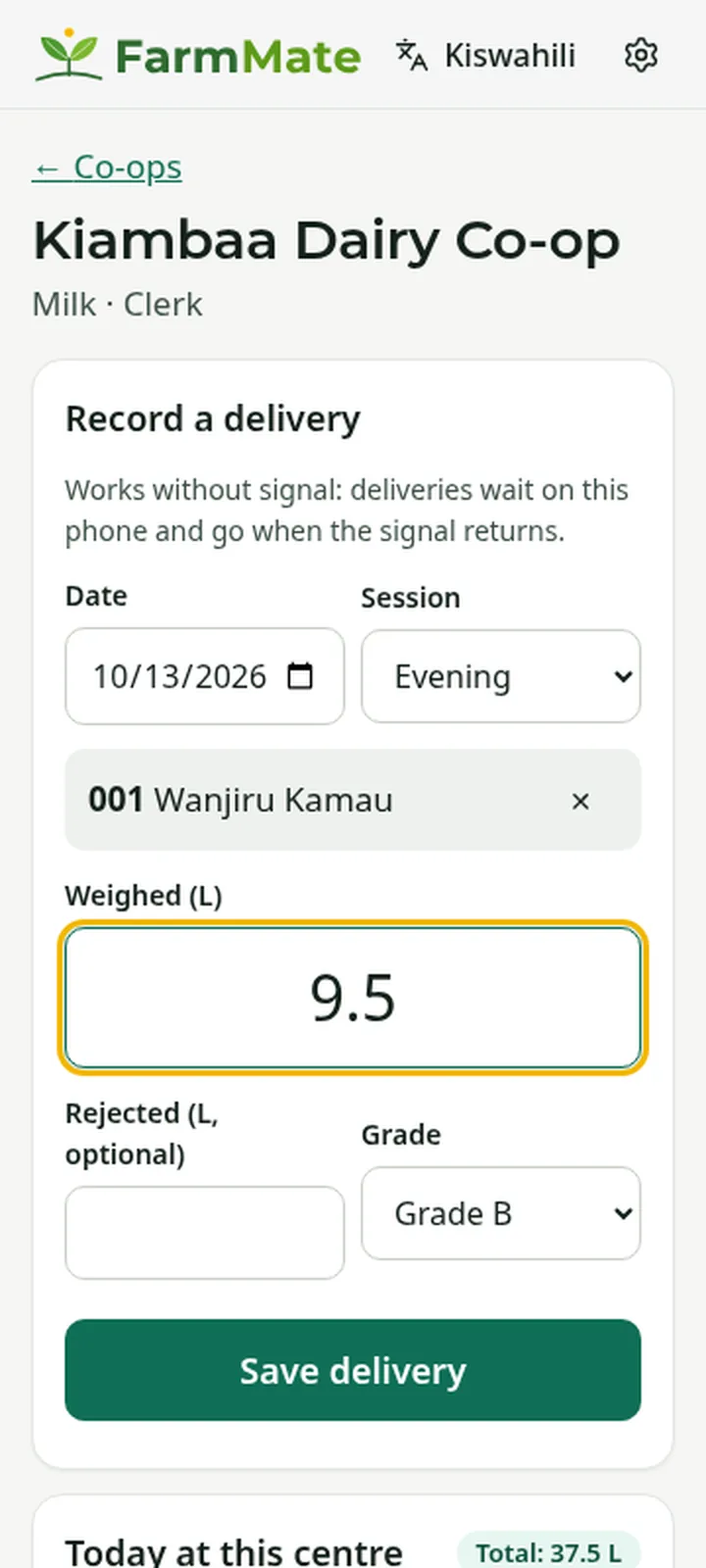
The clerk picks the member by number or name and enters the weight, any rejected amount with a reason, the grade and the session. Without signal, the delivery waits on the phone and sends when the signal returns.
Clerk intake, offline SMS receipt
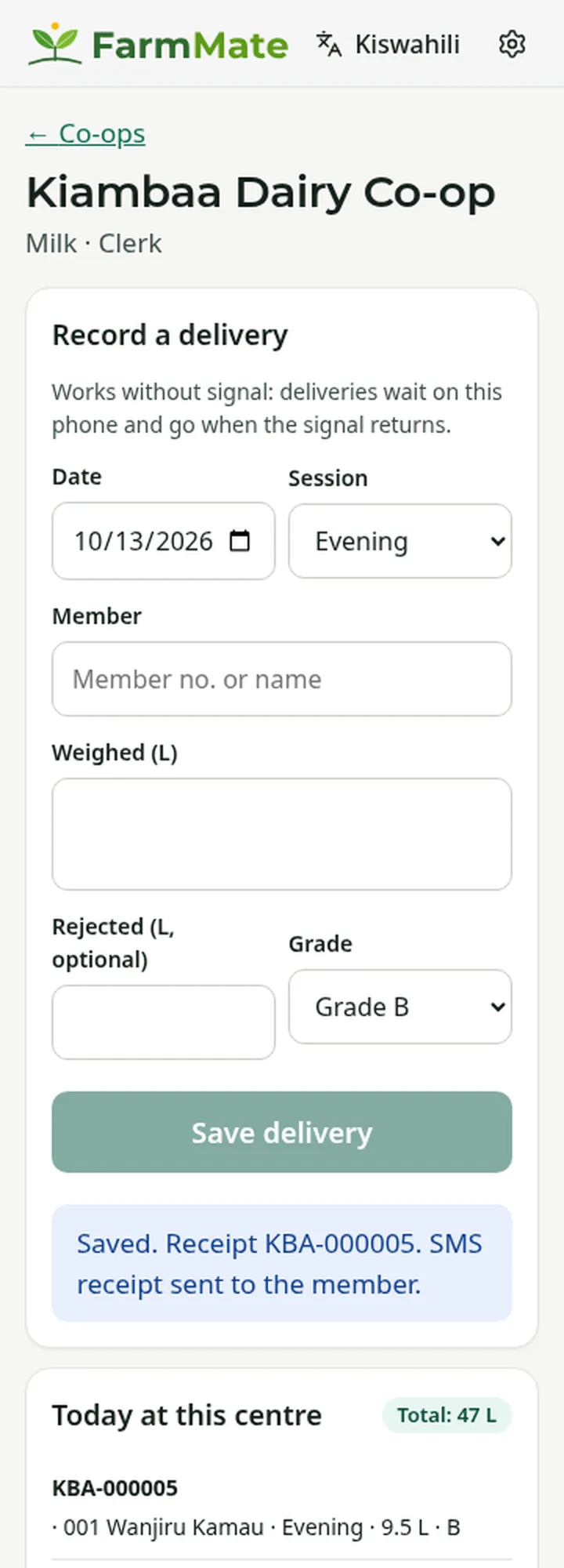
Each delivery gets a receipt number and the member gets an SMS receipt in their language. Clerks never see members' phone numbers, IDs or money.
SMS receipt Rates and deductions
The co-op sets each grade's rate per month. Inputs on credit and loans are recovered from statements, with an optional monthly cap; transport, levies and one-off deductions come off too.
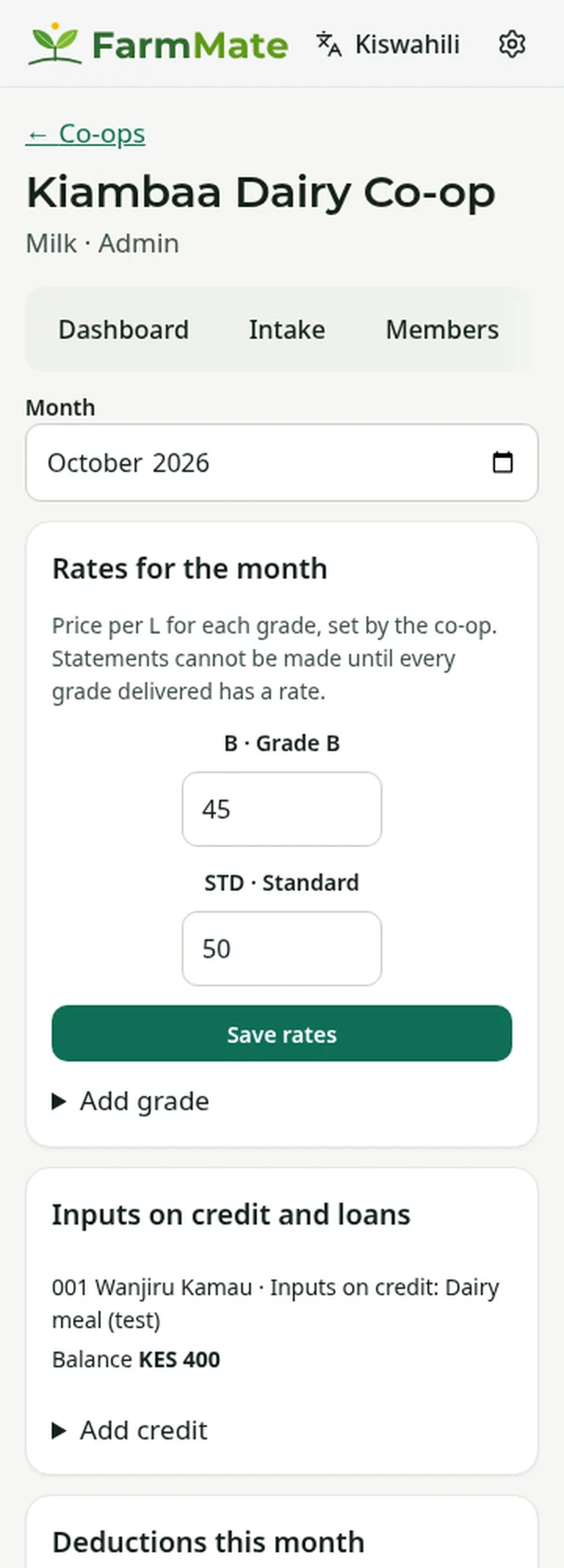
Rates and deductions Monthly statements
Gross is accepted quantity times rate. Deductions come off in order, net never goes below zero and any shortfall carries to next month. Approved statements go out by SMS, with a PDF in English or Swahili.
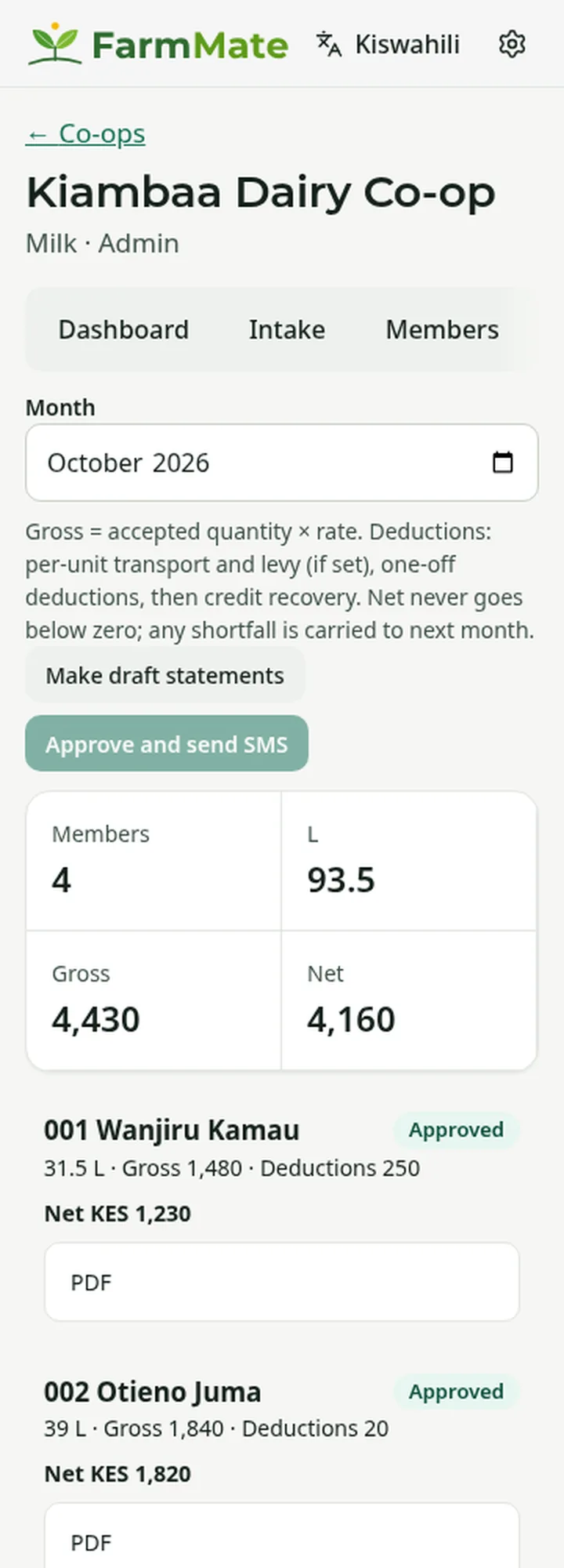
Monthly statements M-Pesa bulk payout file
Build a payout file from approved statements or a bonus, upload it to the M-Pesa bulk payment portal, then mark who was paid. Second payments and bonuses are supported.
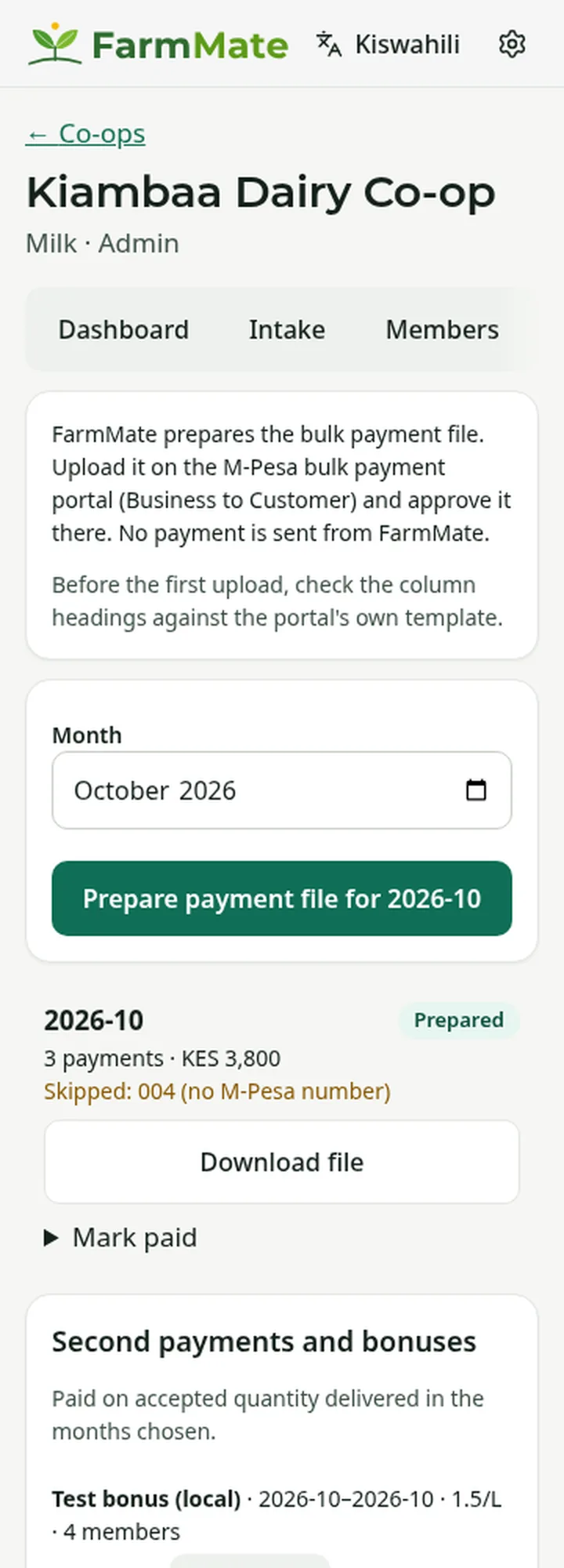
M-Pesa bulk payout file Dashboard and reports
Totals by collection centre, recent days and statements, with CSV downloads.
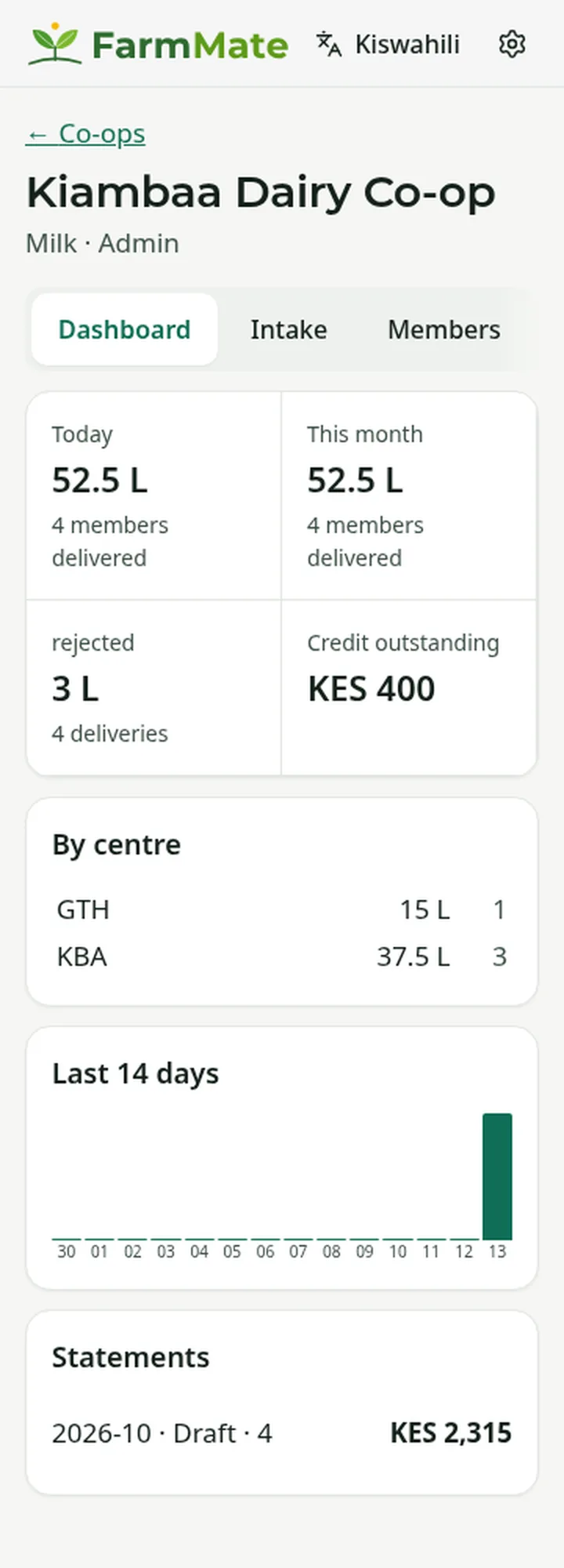
Dashboard and reports
Members see it too
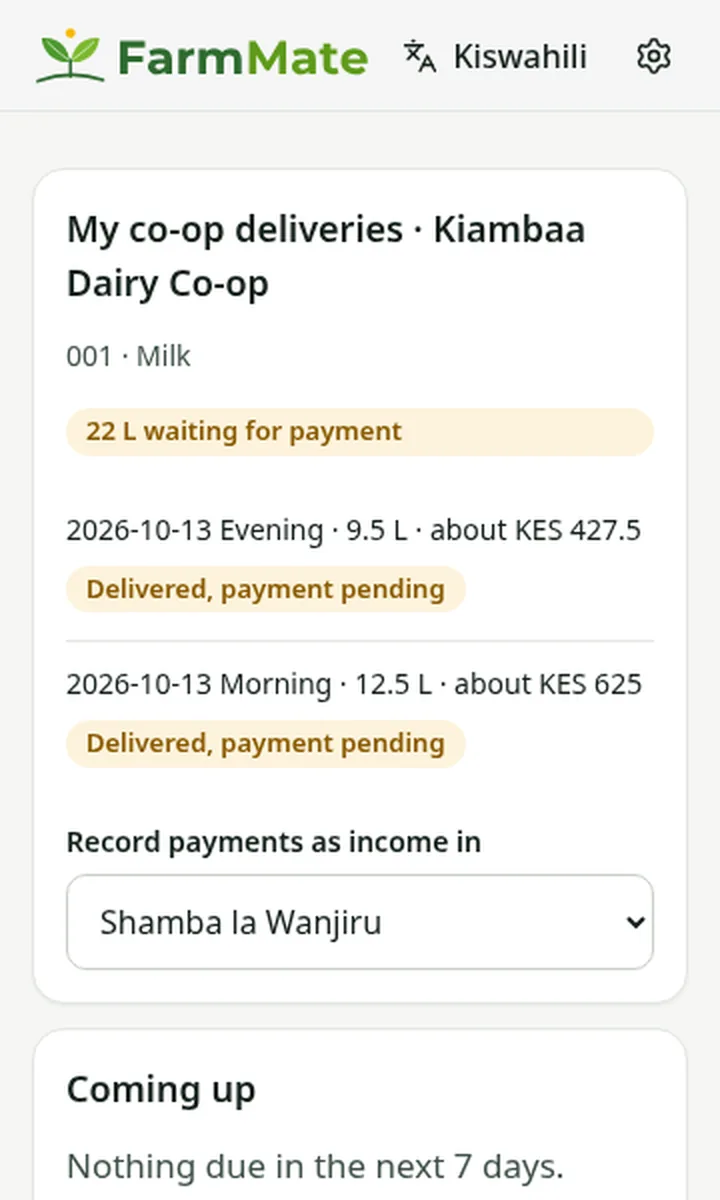
Members who use FarmMate see their deliveries as "payment pending" and then "paid", and the money lands as income on their own farm.
Staff roles
Admin, manager, clerk (tied to one collection centre) and viewer. Staff are added by phone number.
Pricing
Co-op pricing is set with each co-op. Contact us and we will talk it through.
The payout file follows Safaricom's M-PESA bulk payment (B2C) guide. FarmMate does not send money itself: you upload the file to your own M-Pesa portal.